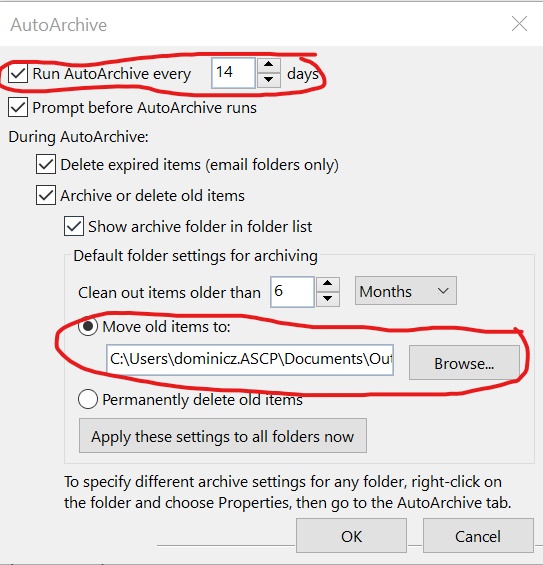
You can create a new archive folder as shown in the following:
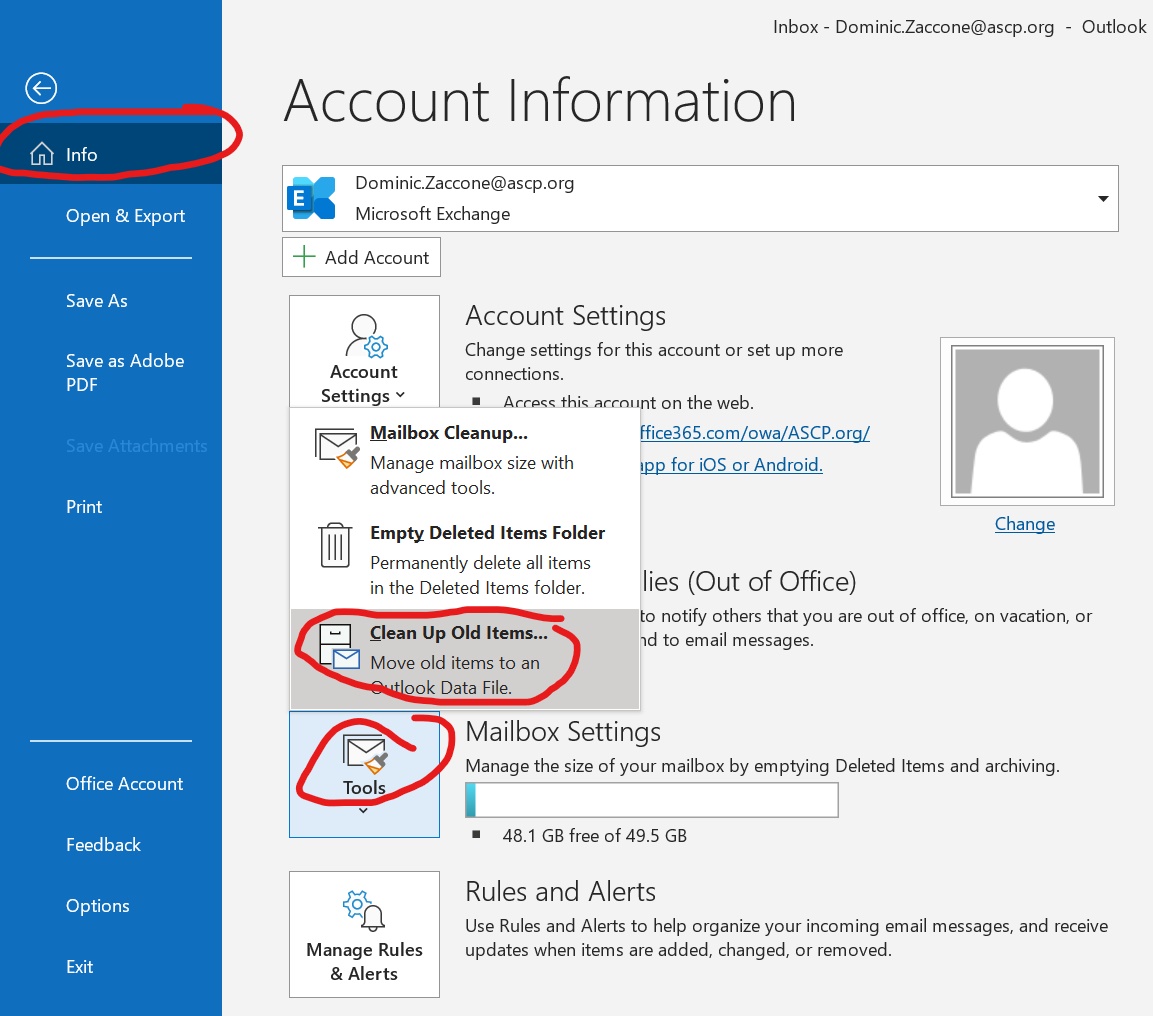
- Click on "File".

- Select "Tools".
- Select "Clean Up Old Items" from the pop up menu.
- Click on the 'Browse' button and select your :H drive.
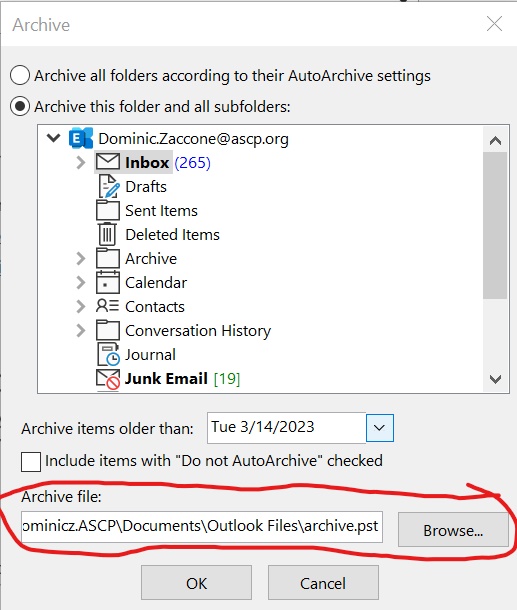
***You should try to keep your archives in your HOME network drive.
***If this is going to be your default archive folder, you must also modify your AutoArchive settings to use the new archive folder.
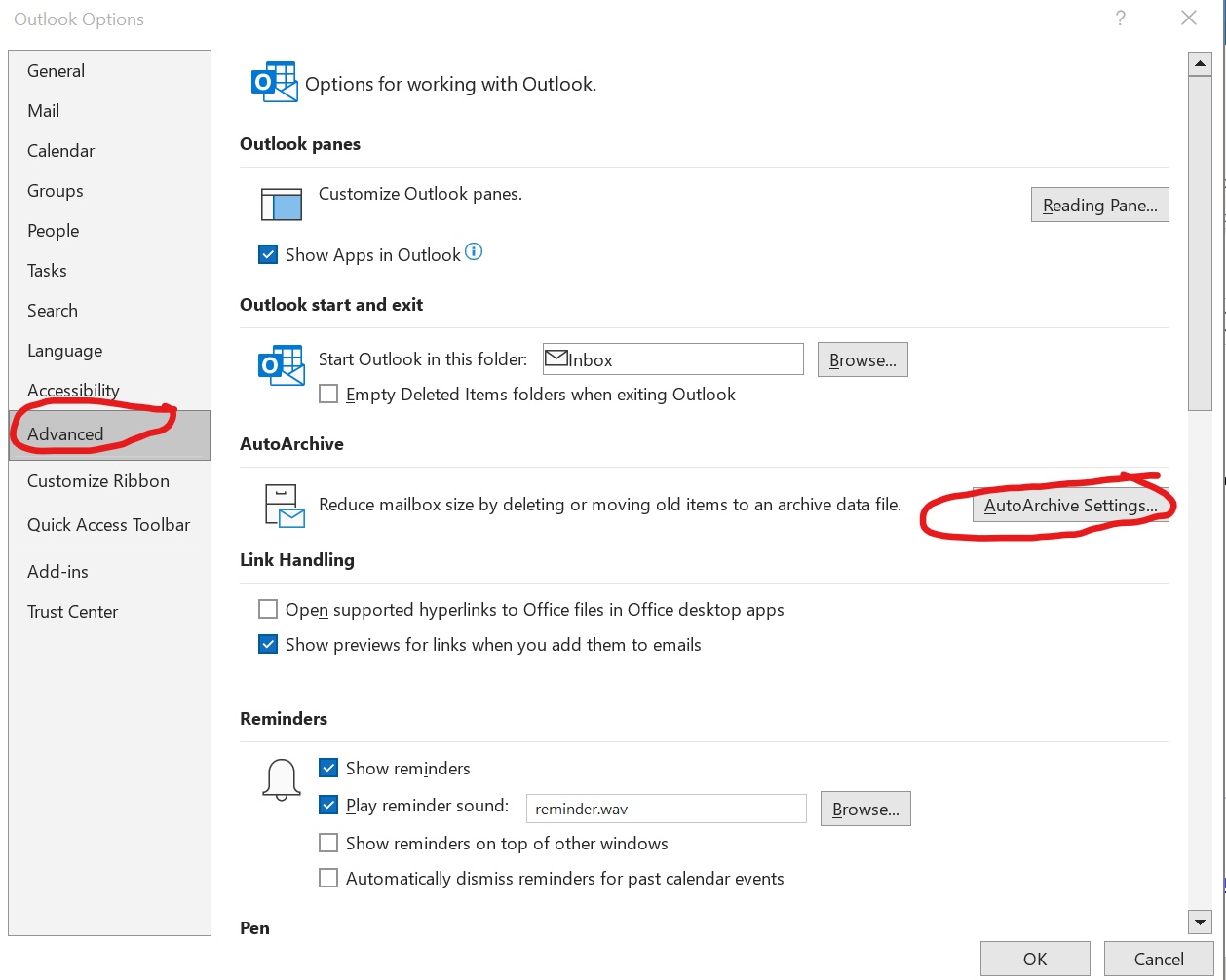
This can be done by clicking on File --> Options.
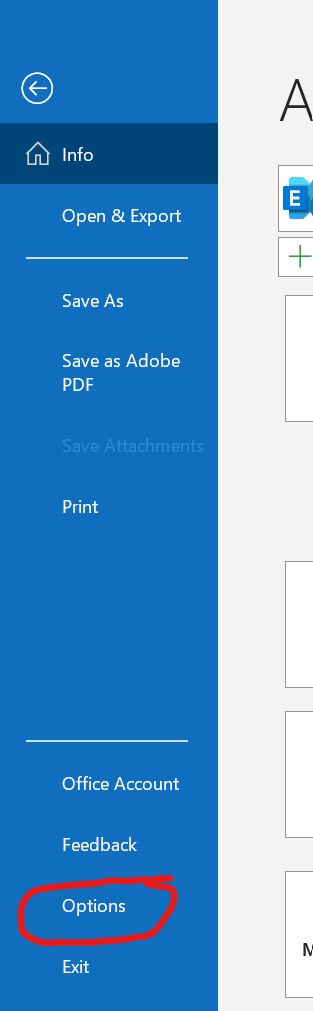
- Select "Advanced".
- Click on the "AutoArchive Settings" button
- Check the "Run AutoArchive every (X) days" box then click the "Browse" button. Select the your :H drive then click the "OK" button.