
***Please note that you must be on the internal network for this to work and have the "lync-server.ascp.org" address in your proxy exceptions.
1) Install Lync 2011 on the Mac.
2) Open the Safari browser, and enter in the "https://lync-server.ascp.org" web address.

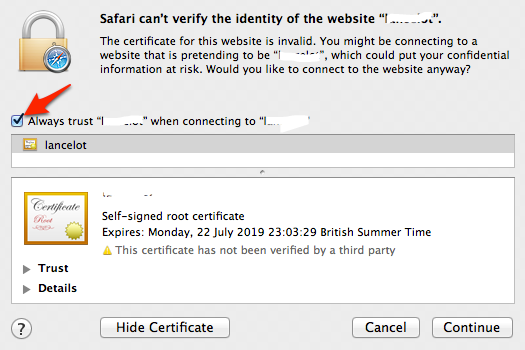
3) You should receive a message regarding the certificate.
4) *** Make sure to click on the "Show Certificate" button, and check the "Always trust ... when connecting to ..."
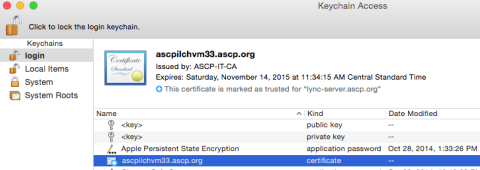
6) You should see the certificate appear in your "logon" section in your keychain.
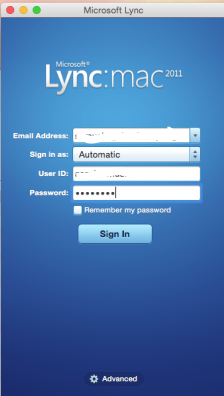
7) Now open Lync 2011 and input your logon details. Before clicking on the "Sign In" button, click on the "Advanced" button near the bottom.
8) Select the "Manual configuration", and input the "lync-server.ascp.org" address for both the internal/external server names.
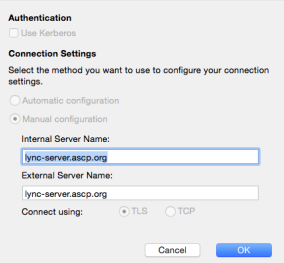
9) Click OK to save, then click on the "Sign In" button.