
How to Map a SharePoint Drive
1. Within Internet Explorer, navigate to the Sharepoint location that you wish to map.
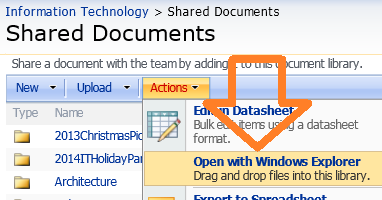
2. Click on the Actions drop-down menu, and select "Open with Windows Explorer".
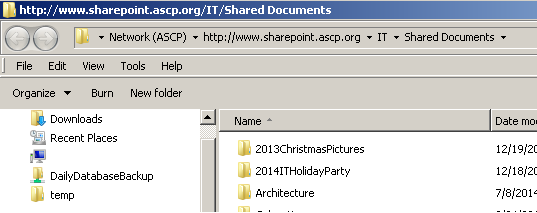
3. This will open that location in a Windows Explorer window as shown below.
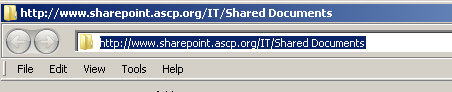
4. Click to highlight the text from the address bar, and copy it.
5. Open a new Windows Explorer window, and select "Map Network Drive".
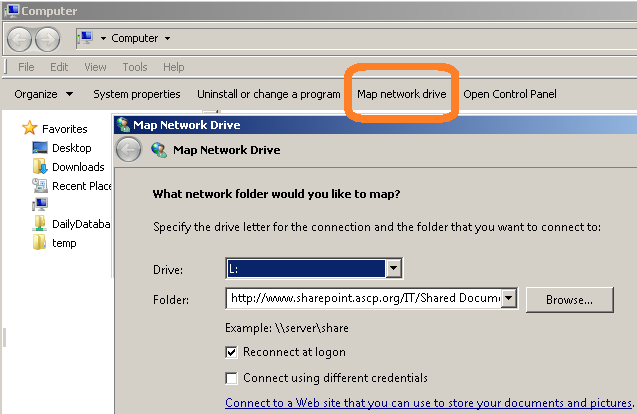
6. Paste the copied text into the "Folder:" field, and select the desired Drive letter.
7. Make sure that the "Reconnect at logon" checkbox is checked.
8. Click on the Finish button to complete the setup.