
Map a network drive to get to it from File Explorer in Windows without having to look for it or type its network address each time.
1. Open File Explorer from the taskbar or the Start menu, or press the Windows logo key + E.
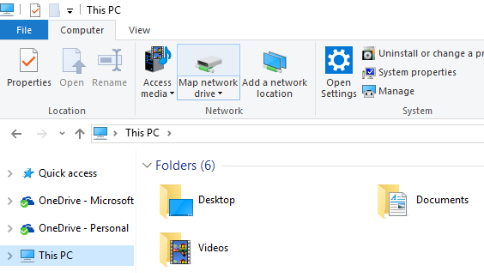
2. Select This PC from the left pane. Then, on the Computer tab, select Map network drive.
3. In the Drive list, select a drive letter. (Any available letter will do.)
4. In the Folder box, type the path of the folder or computer, all network shares will be on server asclilchvm167 example \\ascpilchvm167\ascpshare\,or select Browse to find the folder or computer. To connect every time you log on to your PC, select the Reconnect at sign-in check box.
5. Select Finish.